

OpenClaw API 金鑰設定 — 自訂提供者配置
如何在 Windows 與 macOS 上安裝 OpenClaw,並將 APIMaster.ai 設定為自訂的 OpenAI 相容提供者。設定 API 金鑰與基礎網址以使用 Claude、GPT 及 DeepSeek 模型。
OpenClaw 是一個在地端運行的 AI 代理平台,具備網頁聊天介面。透過 openclaw onboard → 自訂提供者 (Custom Provider) 連接 APIMaster.ai(相容 OpenAI 格式)。
請先取得 API 金鑰。下方請使用佔位符
your_apimaster_key。
必要條件
- Windows、macOS 或 Linux
- Node.js 22.19+(建議使用 Node 24;安裝程式會視需要升級)
- 準備好 APIMaster API 金鑰
步驟 1 — 安裝
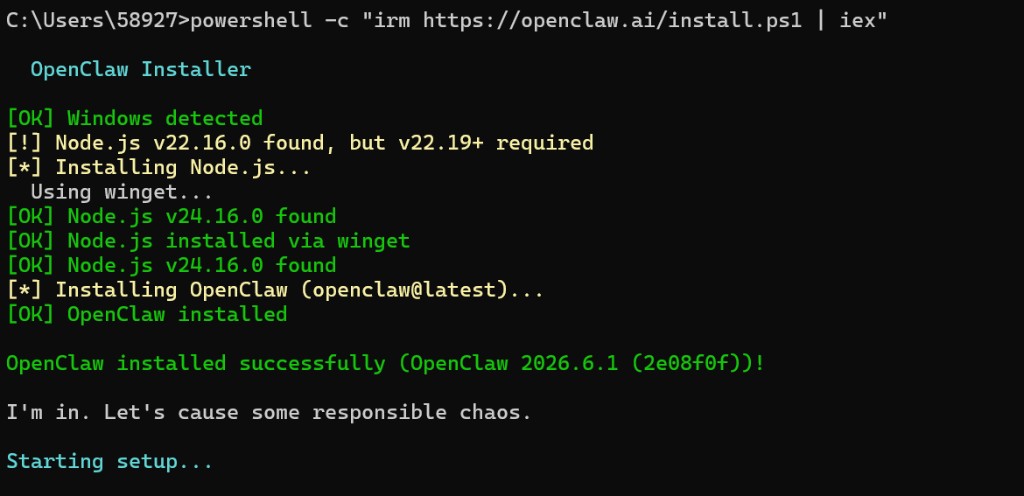
安裝完成後通常會出現 正在開始設定…(onboard)。若只想先安裝、稍後再設定,請參閱下方的 不安裝 onboard 的方式。
Windows (PowerShell)
powershell -c "irm https://openclaw.ai/install.ps1 | iex"
macOS (終端機)
- 開啟 終端機.app(或 iTerm)。
- 執行官方安裝程式(OpenClaw 文件):
curl -fsSL https://openclaw.ai/install.sh | bash
在 macOS 上,此腳本會:
- 偵測 Apple Silicon 或 Intel
- 若缺少 Homebrew 則安裝(需要 管理員 帳號)
- 視需要透過 Homebrew 安裝 Node 24(或其他 ≥ 22.19 的版本)
- 安裝
openclawCLI,通常會啟動 onboard
可先確認 Node 版本(非必要):
node --version # 需要 v22.19+,建議 v24.x
不安裝 onboard 的方式:
curl -fsSL https://openclaw.ai/install.sh | bash -s -- --no-onboard
之後準備好時再執行 openclaw onboard。
macOS 設定路徑:
| 項目 | 路徑 |
|---|---|
| 設定檔 | ~/.openclaw/openclaw.json |
| 工作區 | ~/.openclaw/workspace |
| 工作階段 | ~/.openclaw/agents/main/sessions |
下方截圖為 Windows 版本,但 CLI onboard 流程在 macOS 上相同(自訂提供者、Base URL、略過頻道等)。
Linux / WSL2
與 macOS 相同:
curl -fsSL https://openclaw.ai/install.sh | bash
可選擇背景執行 Gateway:
openclaw onboard --install-daemon
(macOS:LaunchAgent · Linux:systemd 使用者服務)
步驟 2 — openclaw onboard
隨時執行以進行(重新)設定:
openclaw onboard
在 macOS 上,請使用同一個終端機工作階段。若要讓 Gateway 持續執行:
openclaw onboard --install-daemon
- 安全性提示 → 是
- 模型/驗證提供者 → 自訂提供者(相容 OpenAI 或 Anthropic 的端點)
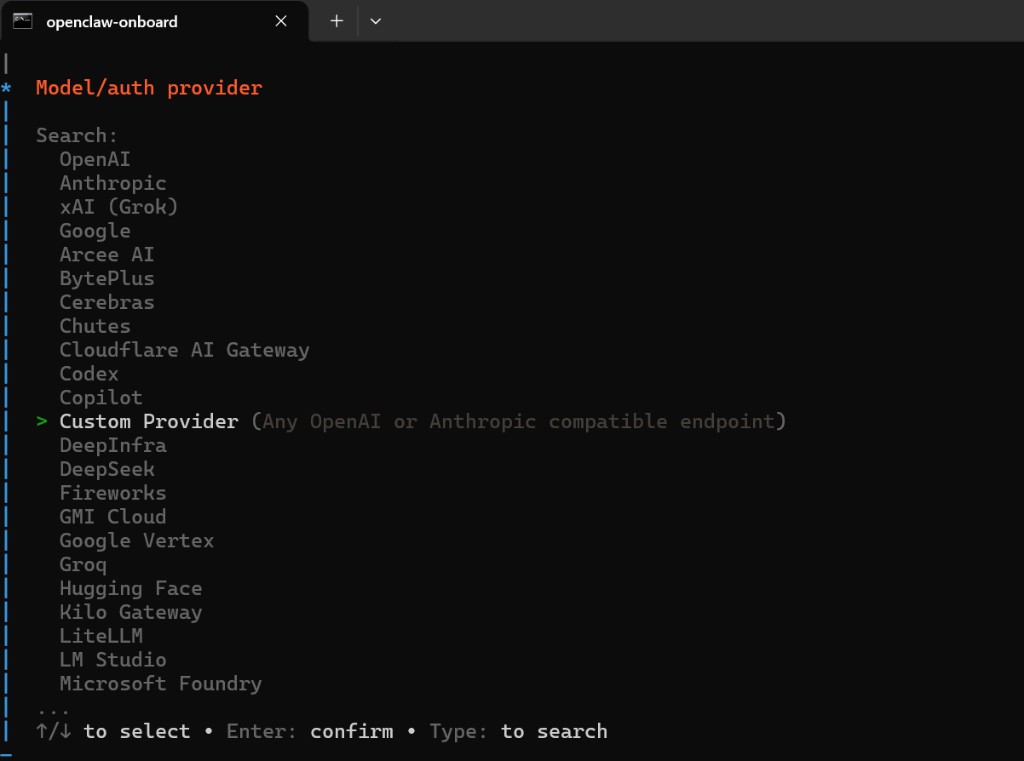
- 填入以下內容:
| 欄位 | 值 |
|---|---|
| API Base URL | https://apimaster.ai/v1 |
| API 金鑰 | 貼上 APIMaster 金鑰 |
| 端點相容性 | OpenAI 相容 |
| 模型 ID | 例如 gpt-5.5 |
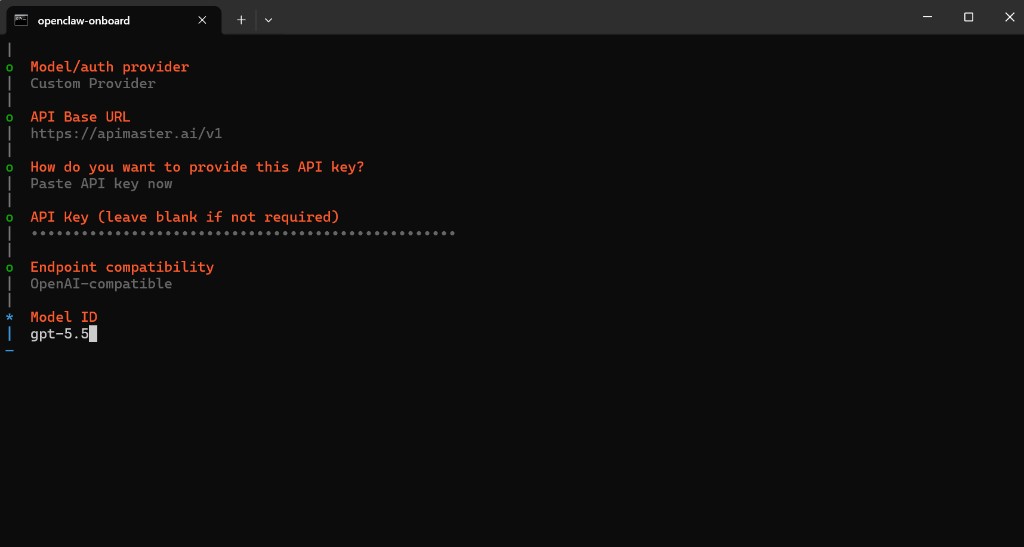
模型 ID: 任何市集中的聊天模型 ID(gpt-5.4、claude-sonnet-4-6……)。請略過影像模型,如 gpt-image-2。
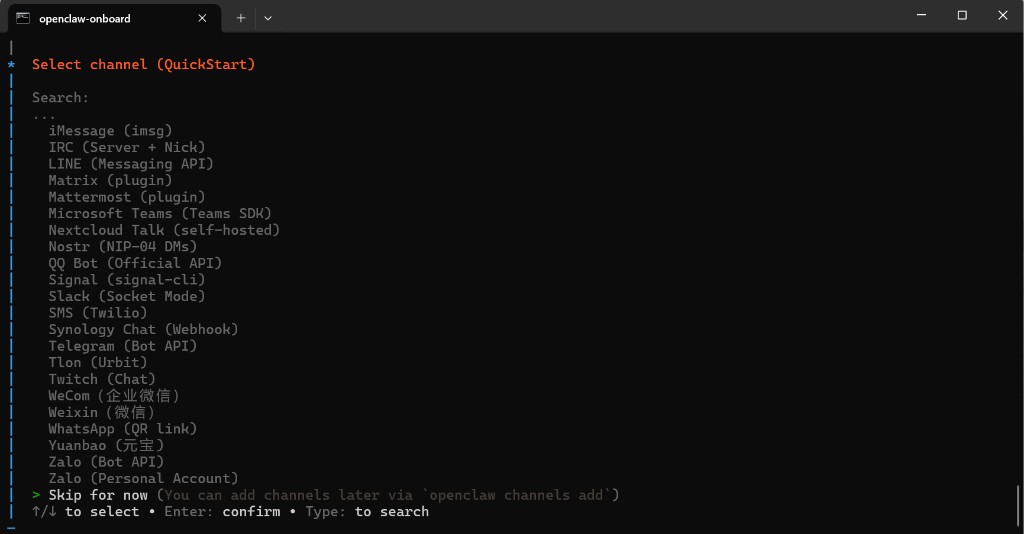
- 選用步驟:略過頻道、網頁搜尋、技能、鉤子。
步驟 3 — 網頁聊天
若瀏覽器未自動開啟:
openclaw dashboard
如果頁面載入失敗,請再次執行 openclaw dashboard,或重新執行 openclaw onboard。
步驟 4 — 測試
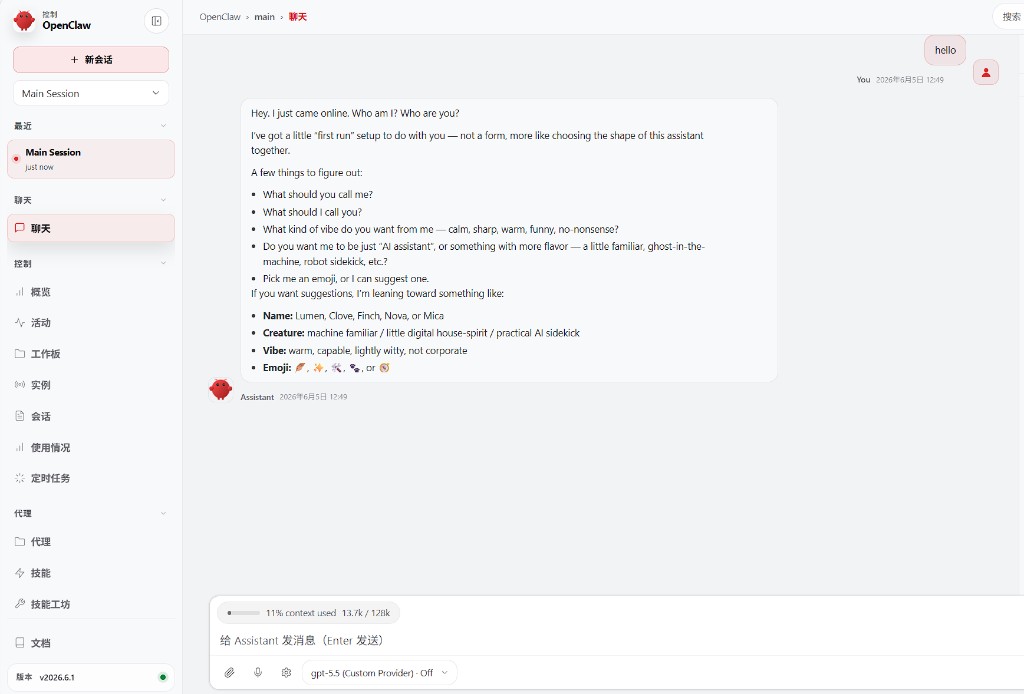
在輸入區選取模型(例如 gpt-5.5 (Custom Provider)),傳送 hello,確認收到回覆。
疑難排解
| 問題 | 解決方式 |
|---|---|
| 設定錯誤 | openclaw onboard |
| 頁面無法開啟 | openclaw dashboard |
| 401 / 模型錯誤 | 檢查 URL、金鑰、模型 ID;連線測試 |
macOS
| 問題 | 解決方式 |
|---|---|
openclaw: command not found |
在 ~/.zshrc 中加入:export PATH="$(npm prefix -g)/bin:$PATH",重新開啟終端機 |
| 使用 nvm 時 Node 版本仍錯誤 | nvm install 24 && nvm use 24 && nvm alias default 24,重新執行安裝程式 |
| Homebrew 安裝失敗 | 使用管理員帳號,或先自行安裝 Homebrew |
| Gateway 未執行 | openclaw gateway status;嘗試 openclaw onboard --install-daemon |
檢查清單
- 自訂提供者 +
https://apimaster.ai/v1+ 金鑰 - 聊天模型 ID(非影像模型)
-
openclaw dashboard可正常運作 - 測試訊息成功送出