

Cline API Key Setup — VS Code & Cursor Configuration Guide
How to set a custom API key for Cline in VS Code or Cursor. Choose OpenAI Compatible provider, set base URL to APIMaster.ai, and enter your model ID to use Claude, GPT-5.4, or DeepSeek at discounted pricing.
Cline (saoudrizwan.claude-dev) is an autonomous coding agent for VS Code / Cursor. Use OpenAI Compatible with APIMaster’s base URL and model id.
Get API Key first. Copy model id from the marketplace.
Prerequisites
- VS Code or Cursor
- APIMaster API Key
- Target model id from the marketplace
Step 1 — Install Cline
Search Cline by saoudrizwan in Extensions and install.
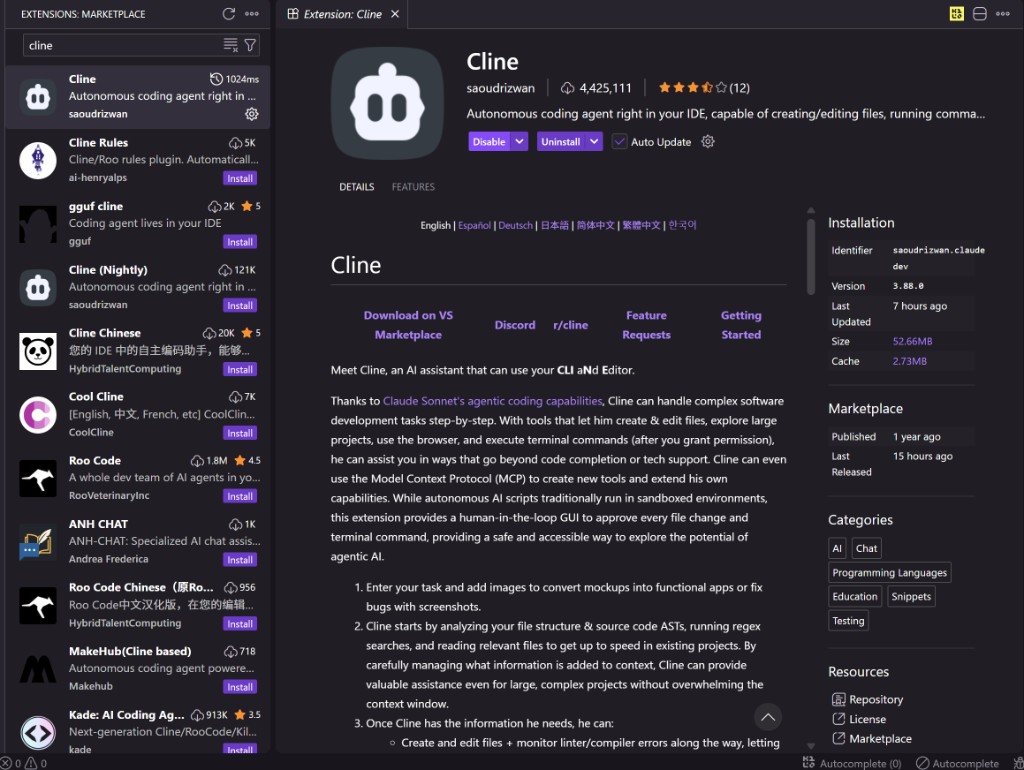
code --install-extension saoudrizwan.claude-dev
Step 2 — API settings
- Open the Cline sidebar.
- Click Settings (gear icon).
- Open API Configuration.
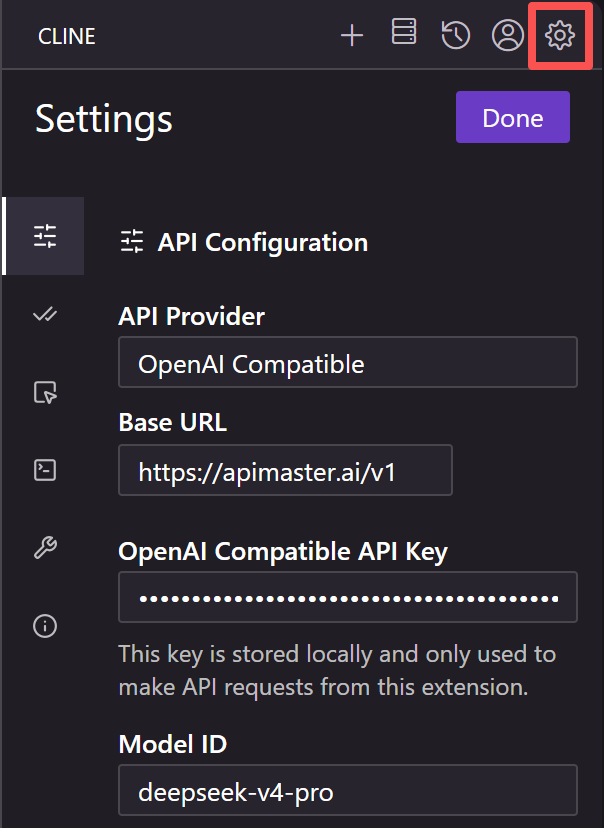
| Field | Value |
|---|---|
| API Provider | OpenAI Compatible |
| Base URL | https://apimaster.ai/v1 |
| API Key | Your APIMaster key |
| Model ID | Marketplace id, e.g. claude-sonnet-4-6, gpt-5.5 |
Click Done.
Step 3 — Chat
Send a test message. The footer should show openai-compat:<model-id>.
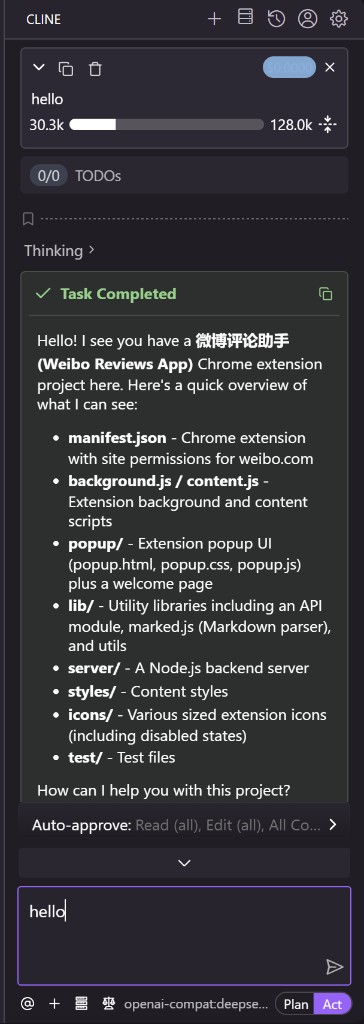
Model ids (examples)
claude-haiku-4-5, claude-sonnet-4-6, claude-opus-4-8, gpt-5.4, gpt-5.5, deepseek-v4-pro, minimax-m3 — see marketplace.
Troubleshooting
| Issue | Fix |
|---|---|
| 401 | Check API Key |
| 404 | Re-copy Model ID from marketplace |
| Wrong provider | Set OpenAI Compatible, click Done |