

MiMo Code API Key Setup — Terminal Coding Agent Guide
Learn how to configure APIMaster.ai as a custom OpenAI-compatible API in Xiaomi MiMo Code. Run mimo, use /connect, choose Other providers and Custom provider, set Base URL https://apimaster.ai/v1 and your API key, then use GPT-5.4, Claude Sonnet 4.6, DeepSeek and more at below-official pricing.
MiMo Code (Xiaomi terminal AI coding agent / MiMoCode CLI) connects third-party LLMs via /connect. APIMaster.ai provides an OpenAI-compatible API at https://apimaster.ai/v1 — add a Custom provider with your API key to call Claude, GPT, DeepSeek and other marketplace models without editing config files by hand.
This guide covers: install → mimo launch → /connect wizard → Provider id / Base URL / API key → model ids → test chat.
Get an API Key first. Paste the key only inside MiMo Code; never share it in chat or screenshots.
Prerequisites
- A modern terminal (see MiMo Code install guide).
- MiMo Code CLI installed.
- An APIMaster API Key from the console.
Step 1 — Install MiMo Code
macOS / Linux:
curl -fsSL https://mimo.xiaomi.com/install | bash
Windows:
npm install -g @mimo-ai/cli
See Install & launch for details.
Step 2 — Launch and run /connect
mimo
Inside MiMo Code, run /connect (or type /con and pick Connect provider).
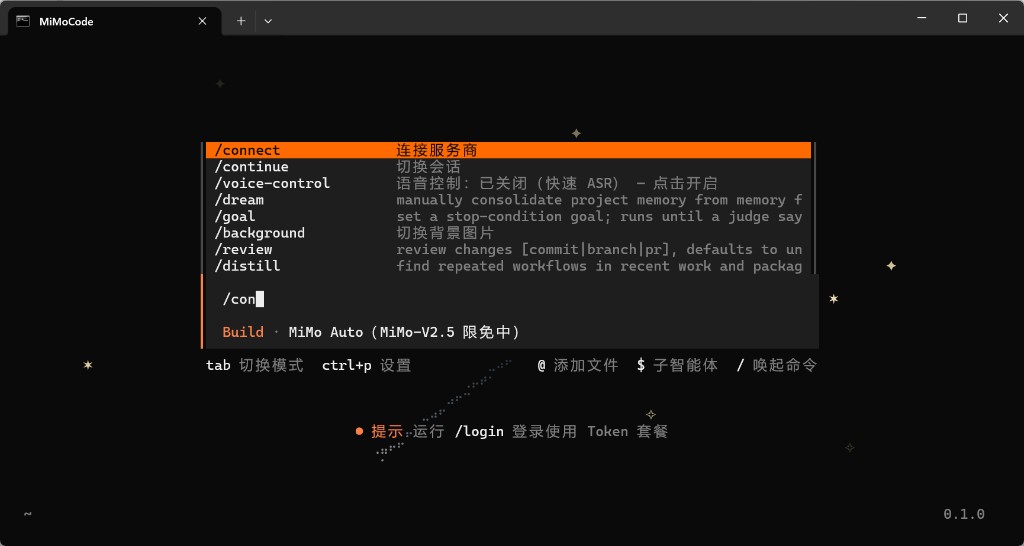
Step 3 — Other provider → Custom provider
- On Select provider, choose Other providers (not Xiaomi official or MiMo Auto free channel).
- On Connect a provider, choose + Custom provider.
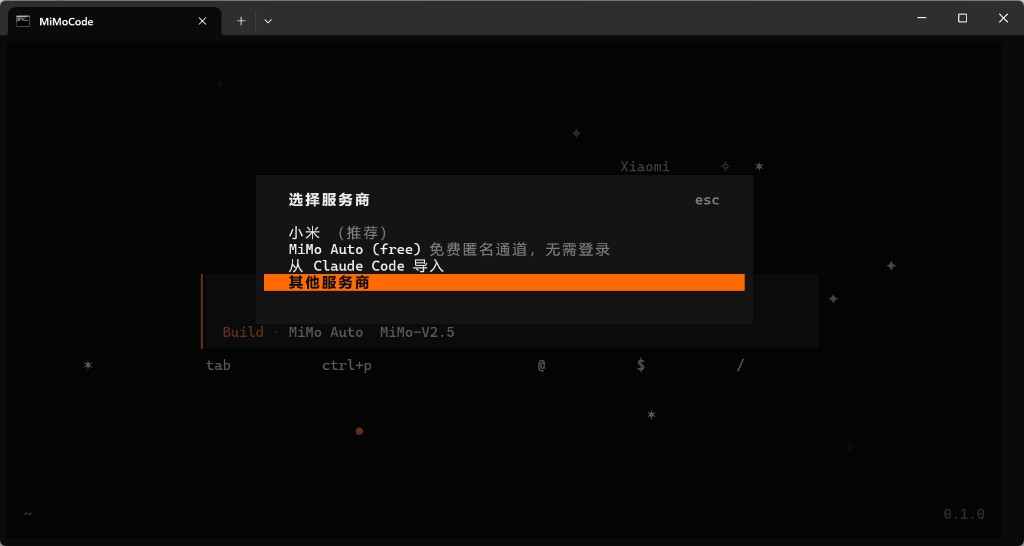
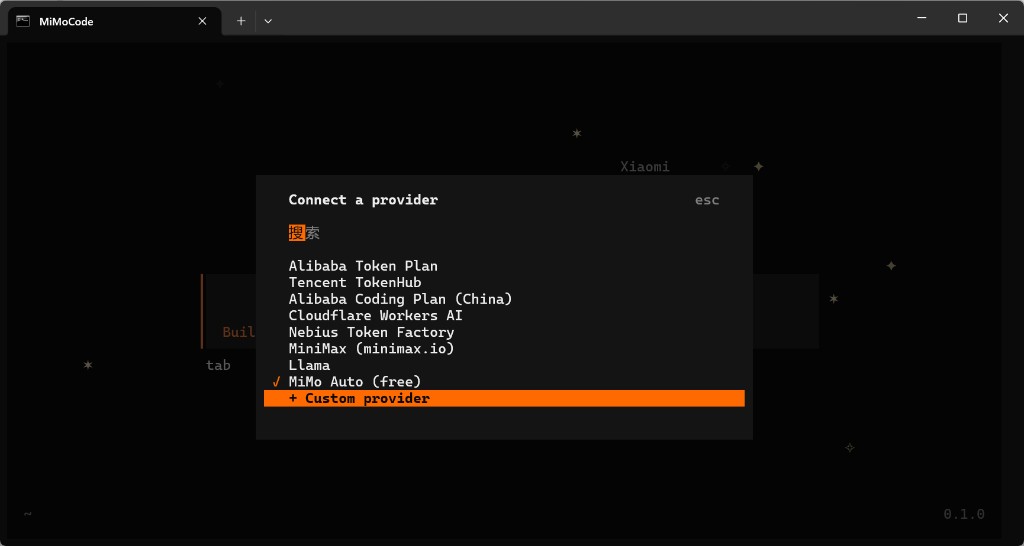
Step 4 — Six-step wizard
| Step | Field | Value |
|---|---|---|
| 1/6 | Provider id | apimaster |
| 2/6 | Display name | apimaster or APIMaster.ai |
| 3/6 | Base URL | https://apimaster.ai/v1 (include /v1) |
| 4/6 | API key | Your APIMaster key |
| 5/6 | First model id | e.g. gpt-5.4 or claude-sonnet-4-6 (marketplace ids) |
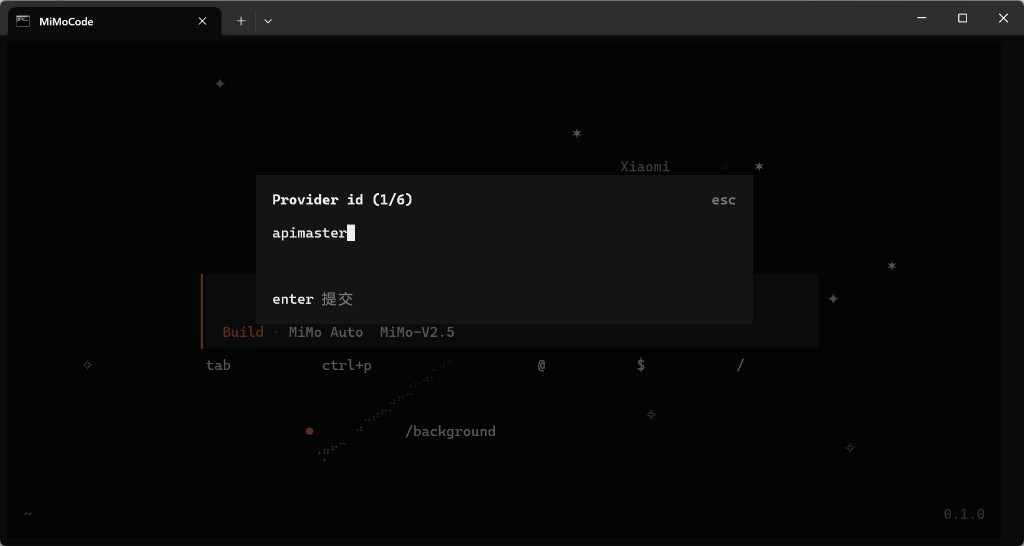
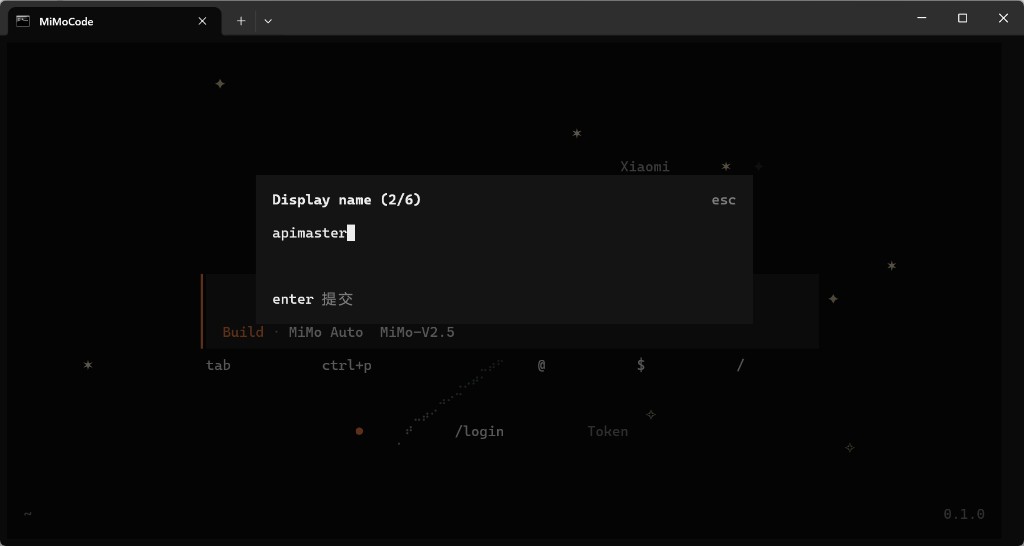
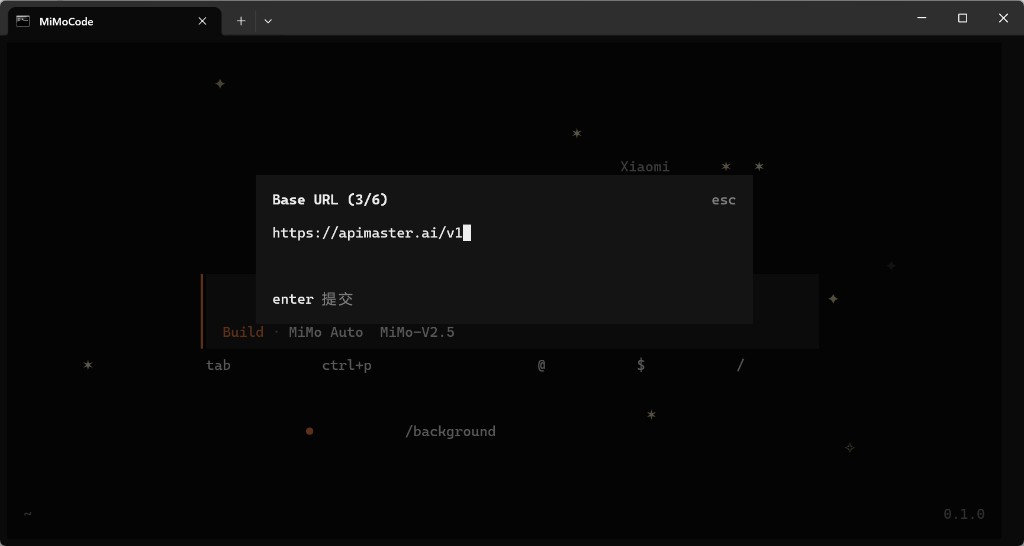
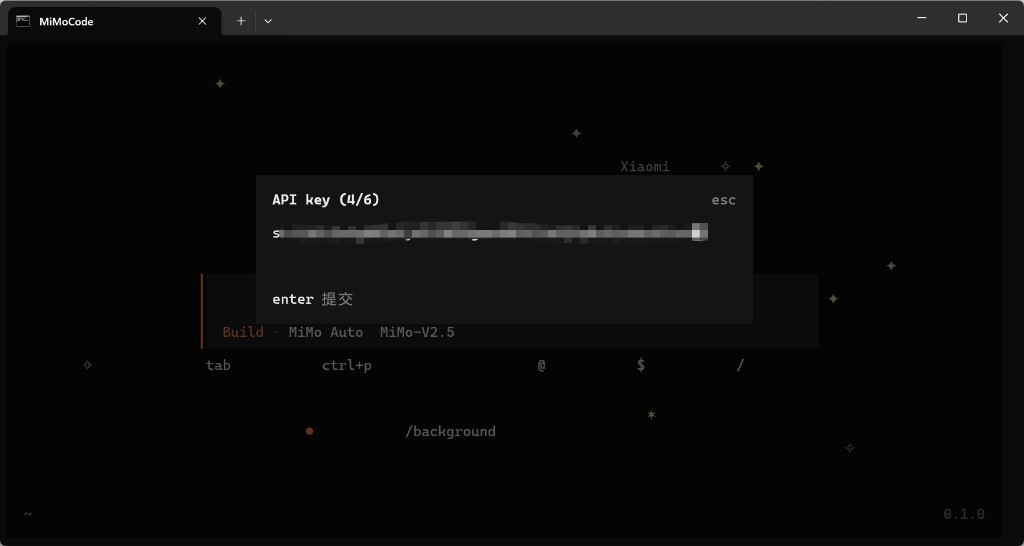
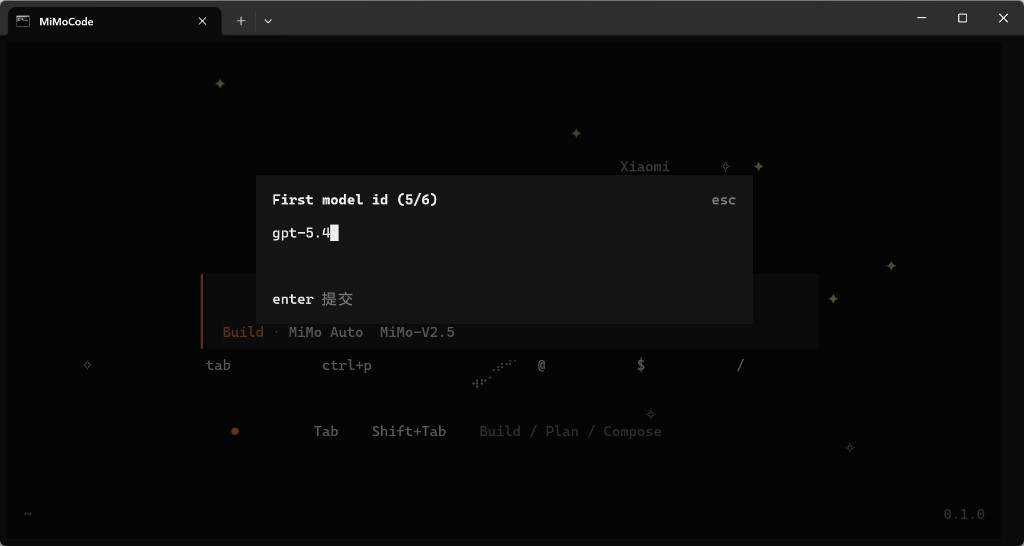
Press Enter to submit each step; Esc to cancel.
Step 5 — Add more models (optional)
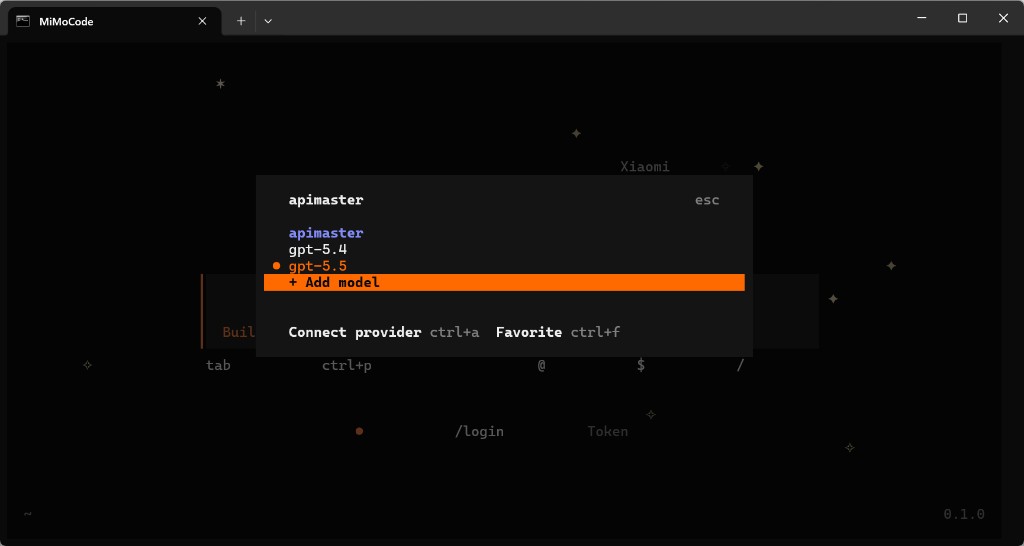
In the apimaster provider menu, use + Add model for additional ids (gpt-5.5, claude-opus-4-8, …).
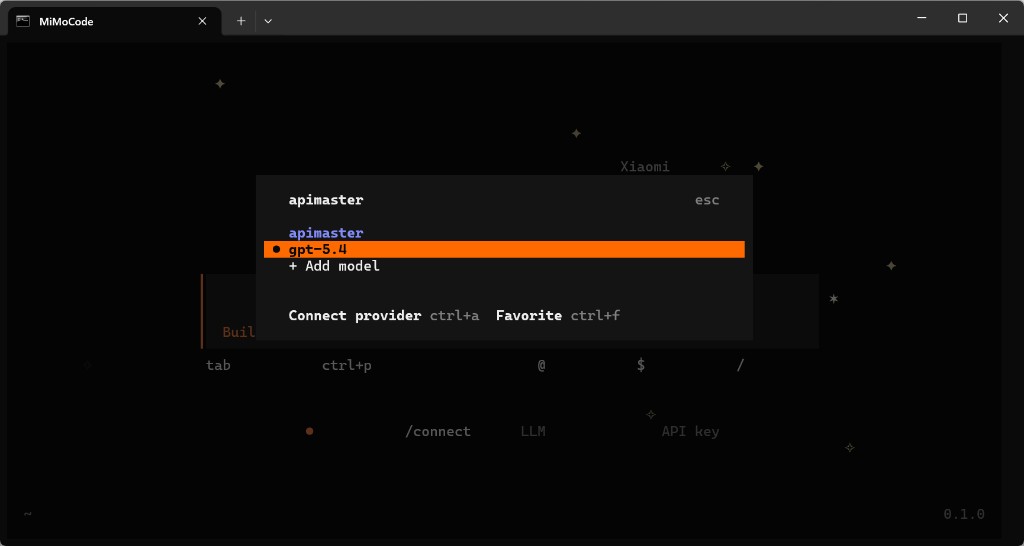
Select the model to use (e.g. gpt-5.4). Connect provider ctrl+a switches providers.
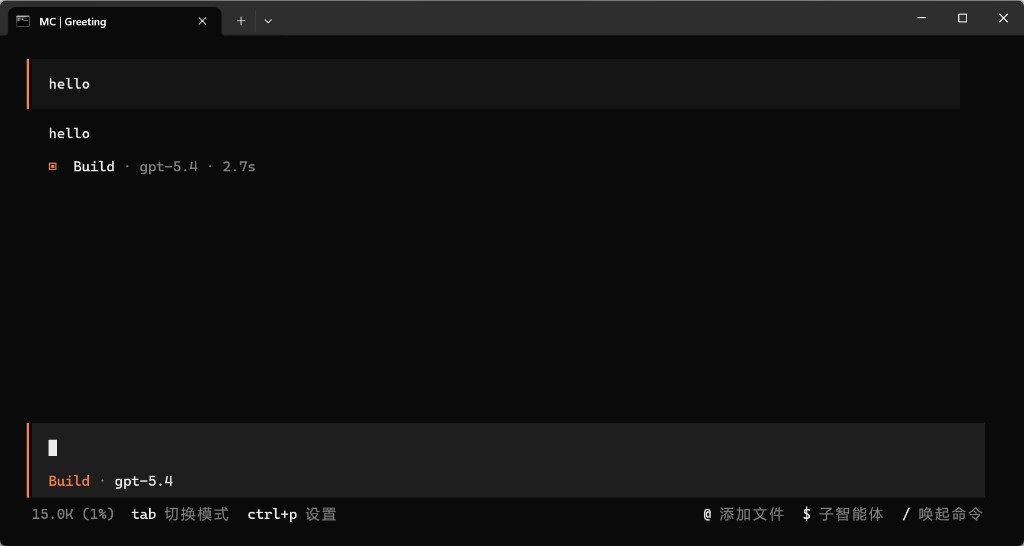
Step 6 — Test chat
Confirm the status line shows your model (e.g. Build · gpt-5.4), send hello, and verify a normal reply.
Troubleshooting
| Issue | Fix |
|---|---|
/connect not found |
Run inside mimo; type / for command list |
| Change API key in MiMo Code | Re-run /connect or edit the apimaster provider |
| 401 / invalid key | Re-copy key from console |
| Base URL error | Use https://apimaster.ai/v1 exactly |
| Which model id to use | Match marketplace ids, e.g. gpt-5.4, claude-sonnet-4-6 |
| No model response | Match marketplace model id; try API connectivity test |