

Configurazione della chiave API MiMo Code — Guida per agenti di codifica da terminale
Scopri come configurare APIMaster.ai come API personalizzata compatibile con OpenAI in Xiaomi MiMo Code. Esegui mimo, usa /connect, scegli Other providers e Custom provider, imposta Base URL https://apimaster.ai/v1 e la tua chiave API, quindi utilizza GPT-5.4, Claude Sonnet 4.6, DeepSeek e altri a prezzi inferiori a quelli ufficiali.
MiMo Code (agente di codifica AI da terminale Xiaomi / MiMoCode CLI) si collega a LLM di terze parti tramite /connect. APIMaster.ai fornisce un'API compatibile con OpenAI all'indirizzo https://apimaster.ai/v1 — aggiungi un provider personalizzato con la tua chiave API per chiamare Claude, GPT, DeepSeek e altri modelli del marketplace senza modificare manualmente i file di configurazione.
Questa guida copre: installazione → avvio di mimo → procedura guidata /connect → ID provider / Base URL / chiave API → ID modello → chat di test.
Ottieni prima una chiave API. Incolla la chiave solo all'interno di MiMo Code; non condividerla mai in chat o screenshot.
Prerequisiti
- Un terminale moderno (vedi la guida all'installazione di MiMo Code).
- CLI di MiMo Code installato.
- Una chiave API APIMaster dalla console.
Passo 1 — Installa MiMo Code
macOS / Linux:
curl -fsSL https://mimo.xiaomi.com/install | bash
Windows:
npm install -g @mimo-ai/cli
Per i dettagli, vedi Installazione e avvio.
Passo 2 — Avvia ed esegui /connect
mimo
All'interno di MiMo Code, esegui /connect (o digita /con e seleziona Connect provider).
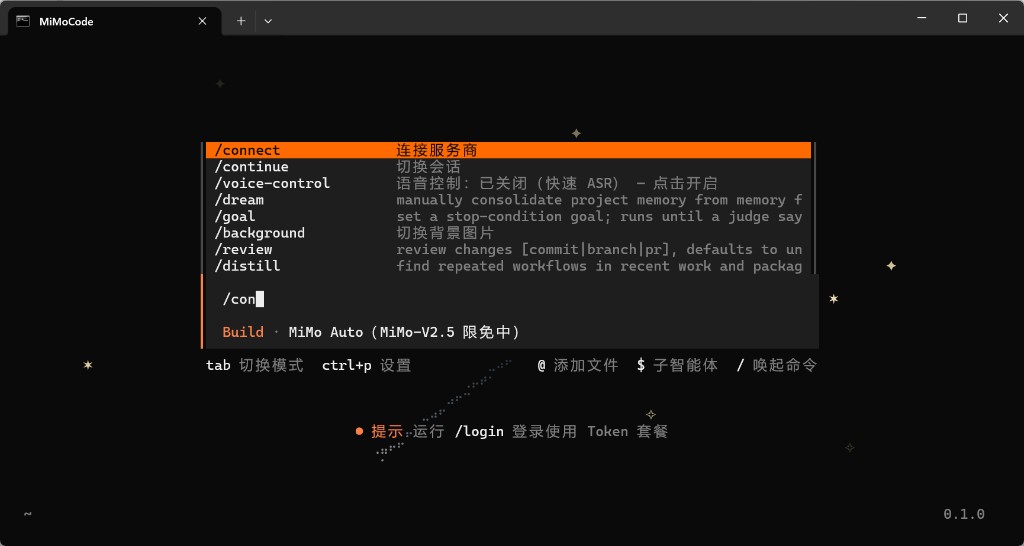
Passo 3 — Other provider → Custom provider
- Su Select provider, scegli Other providers (non il canale ufficiale Xiaomi o il canale gratuito MiMo Auto).
- Su Connect a provider, scegli + Custom provider.
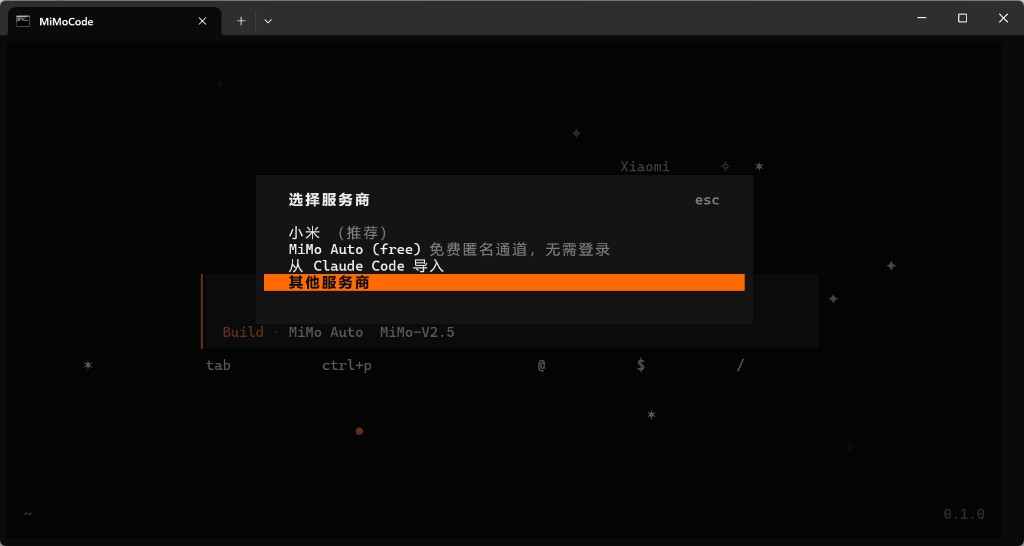
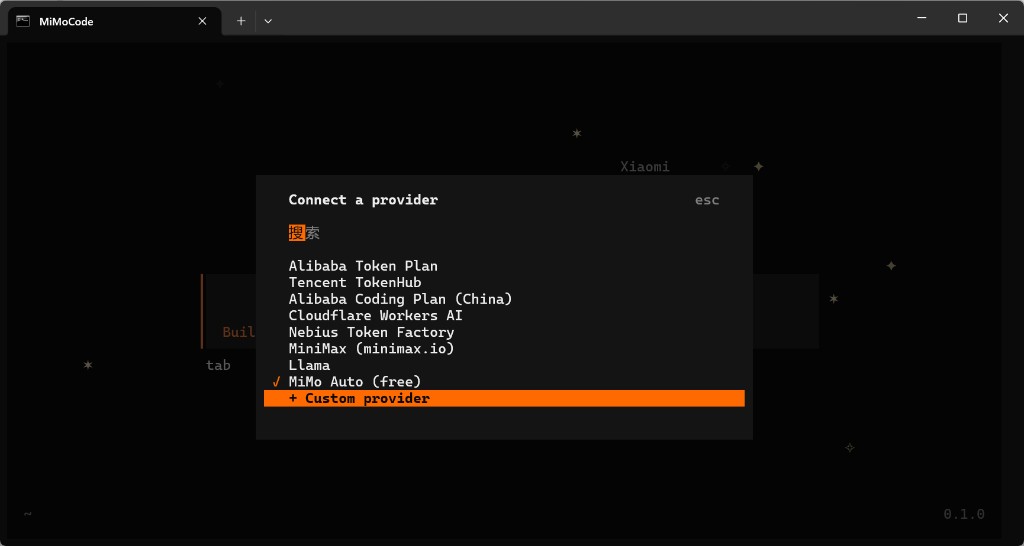
Passo 4 — Procedura guidata in sei passi
| Passo | Campo | Valore |
|---|---|---|
| 1/6 | ID provider | apimaster |
| 2/6 | Nome visualizzato | apimaster o APIMaster.ai |
| 3/6 | URL base | https://apimaster.ai/v1 (includi /v1) |
| 4/6 | Chiave API | La tua chiave APIMaster |
| 5/6 | Primo ID modello | ad es. gpt-5.4 o claude-sonnet-4-6 (ID dal marketplace) |
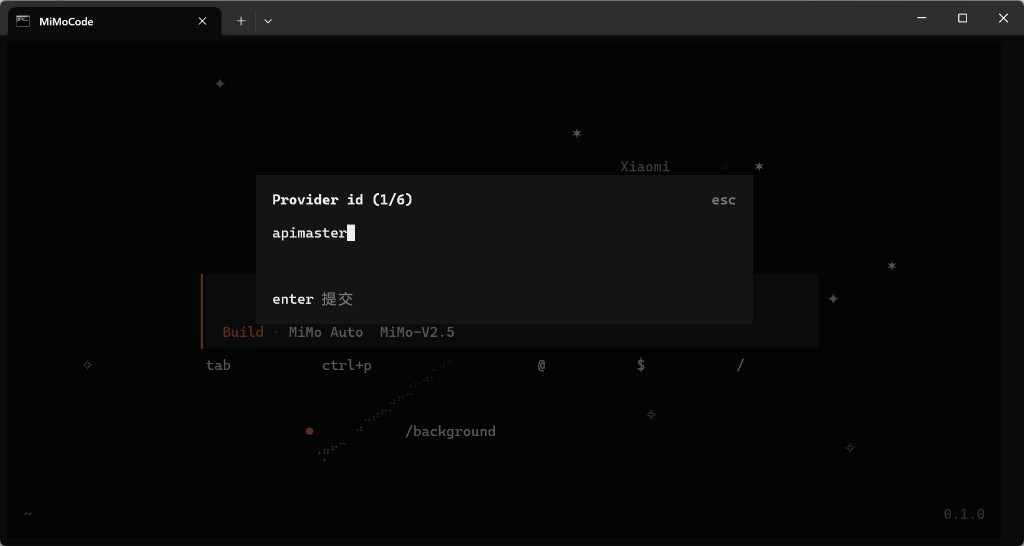
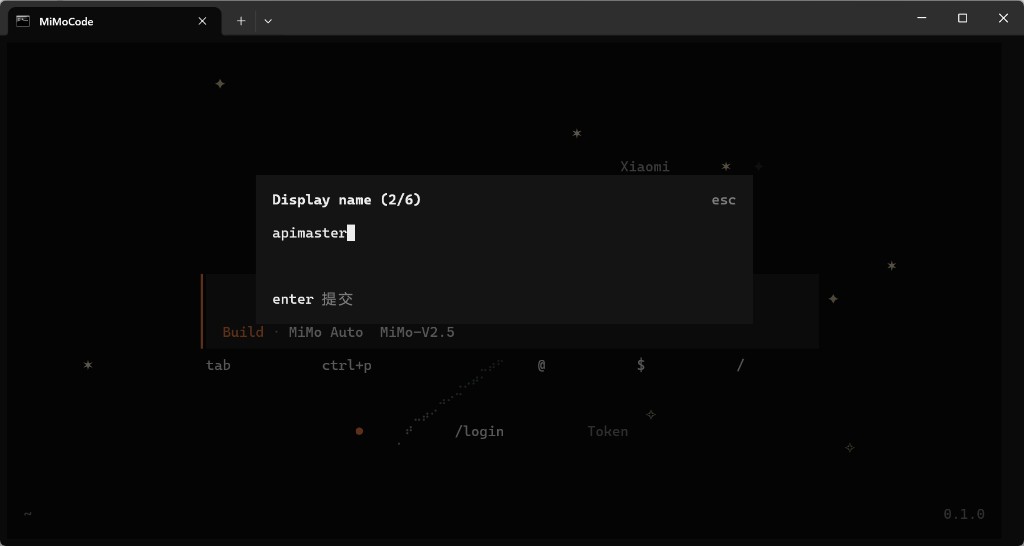
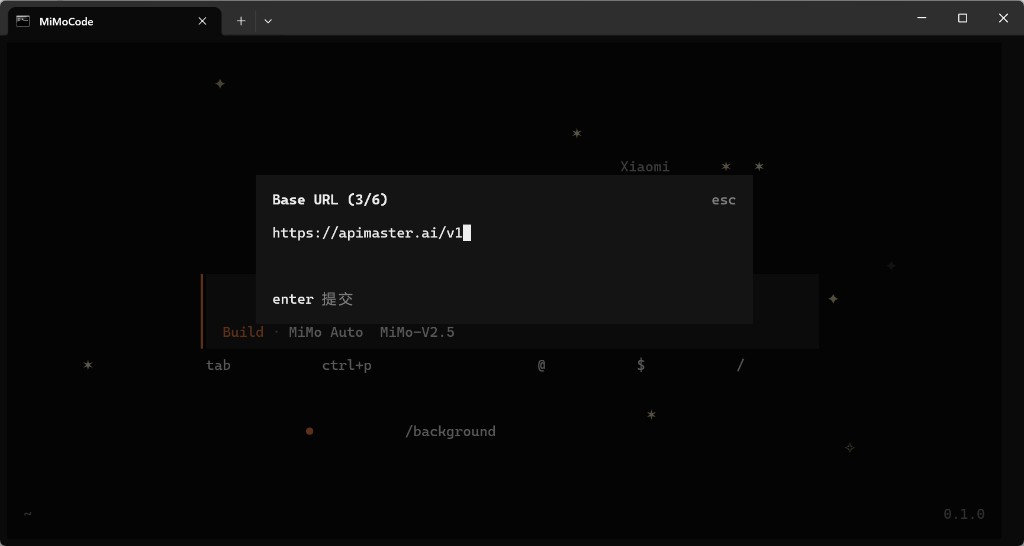
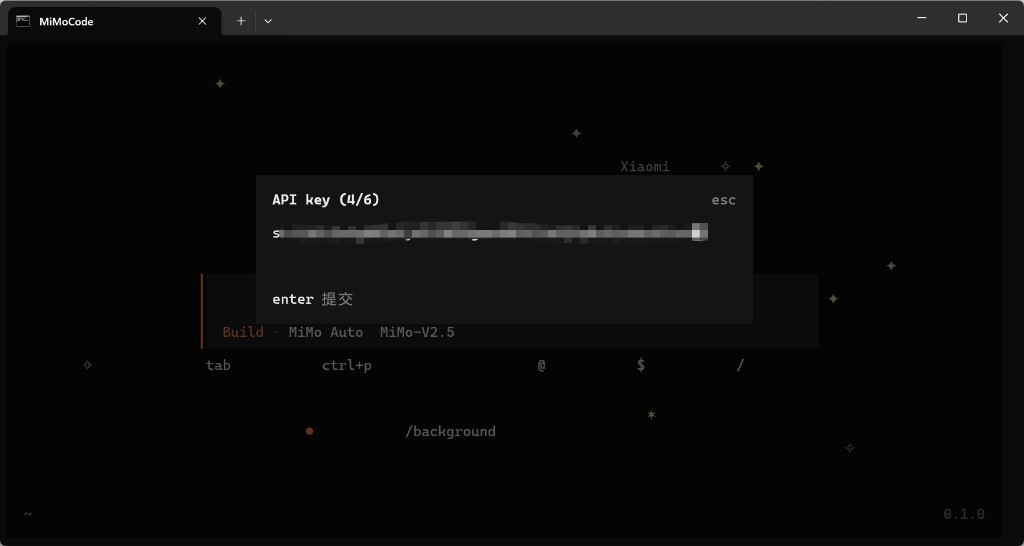
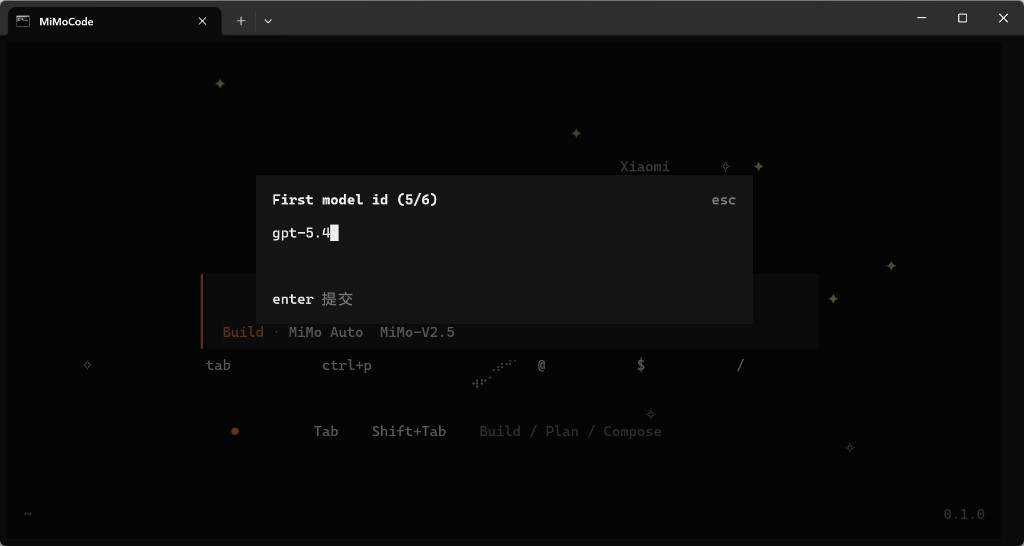
Premi Invio per confermare ogni passaggio; Esc per annullare.
Passo 5 — Aggiungi altri modelli (opzionale)
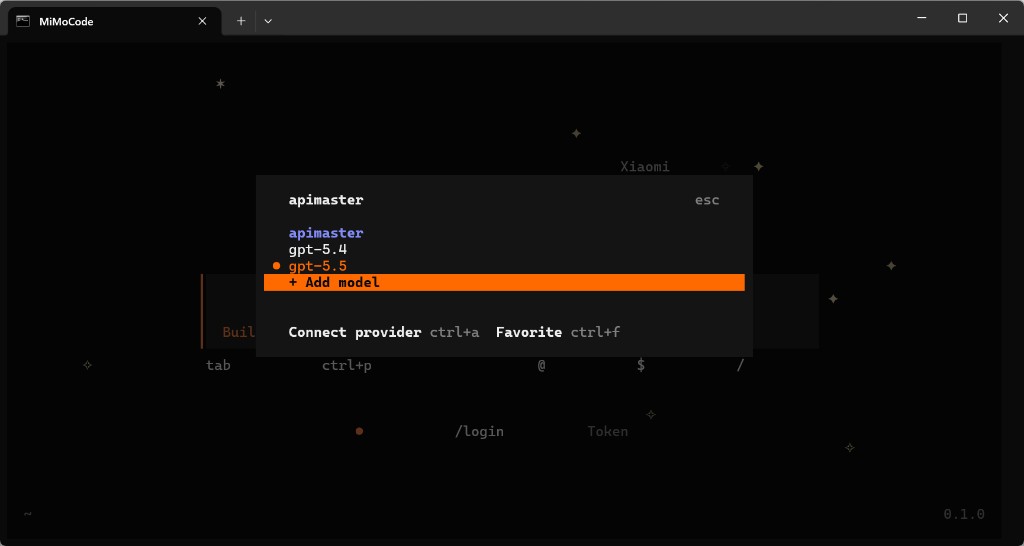
Nel menu del provider apimaster, usa + Aggiungi modello per ID aggiuntivi (gpt-5.5, claude-opus-4-8, …).
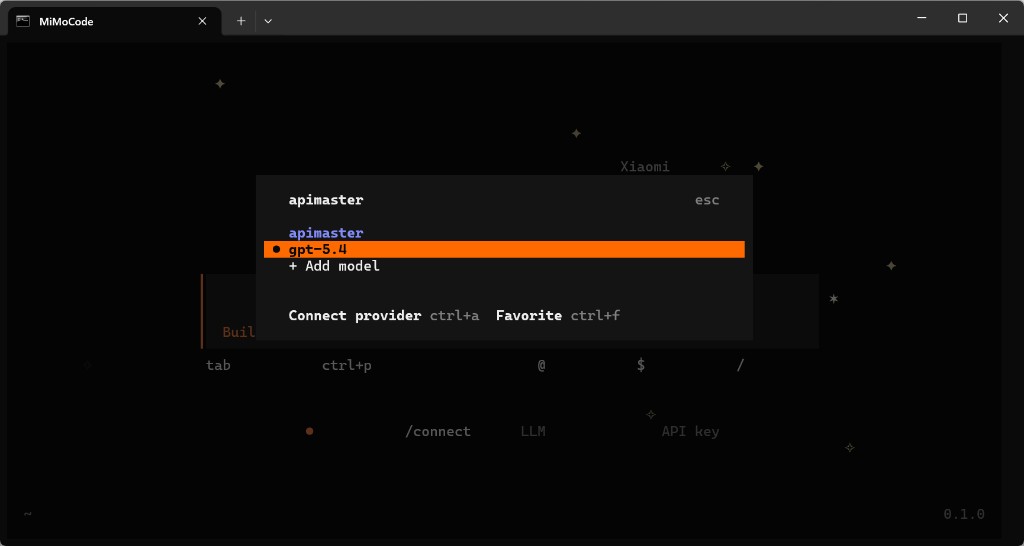
Seleziona il modello da utilizzare (ad es. gpt-5.4). ctrl+a Connessione provider cambia provider.
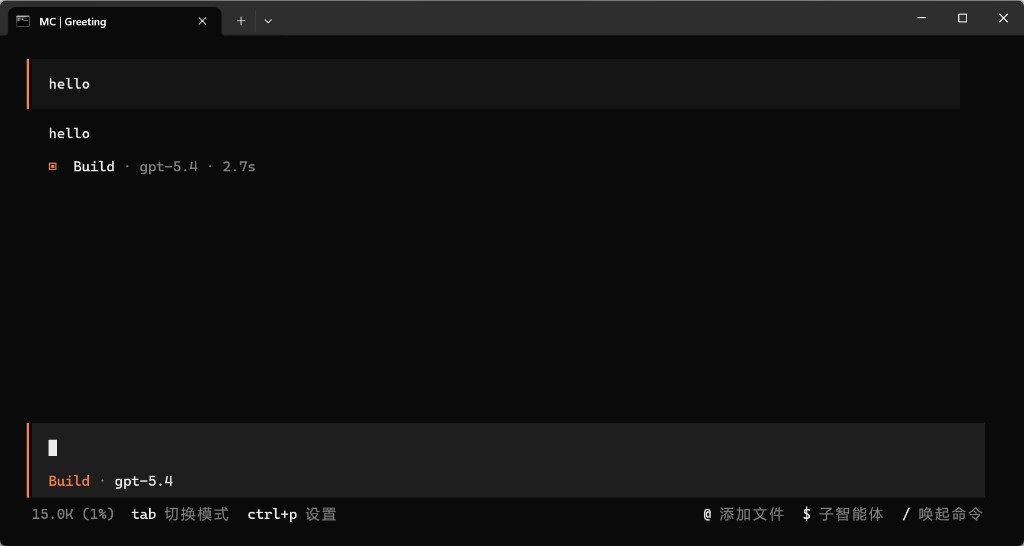
Passo 6 — Chat di test
Verifica che la barra di stato mostri il tuo modello (ad es. Build · gpt-5.4), invia hello e controlla di ricevere una risposta normale.
Risoluzione dei problemi
| Problema | Soluzione |
|---|---|
/connect non trovato |
Esegui all'interno di mimo; digita / per l'elenco dei comandi |
| Cambiare la chiave API in MiMo Code | Esegui di nuovo /connect o modifica il provider apimaster |
| 401 / chiave non valida | Ricopia la chiave dalla console |
| Errore URL base | Usa esattamente https://apimaster.ai/v1 |
| Quale ID modello usare | Utilizza gli ID del marketplace, ad es. gpt-5.4, claude-sonnet-4-6 |
| Nessuna risposta dal modello | Assicurati che l'ID modello corrisponda a quello del marketplace; prova il test di connettività API |