
Conduct research and compile reports
Break a topic into steps such as retrieval, summarization, and drafting, ultimately outputting more complete research results or structured reports.
Best for:Researchers · Operations strategy teams
Personal Agent / Productivity

WorkBuddy is an office-oriented AI Agent from Tencent that breaks down complex tasks such as research, documents, presentation materials, and data analysis and assigns them to multiple Agents for parallel completion.
Website created
2026-01-20
Monthly unique visitors
1.682M
Sources: SimilarWeb
Coding Plan
Coding Pro model discounts
WorkBuddy is more like an AI Agent workbench for office and knowledge work rather than a simple chat assistant. The official site currently positions it as an “all-scenario AI office workbench,” emphasizing that once the user states a requirement, it begins executing the task and delivers complete results. Based on the homepage and public product copy, it is better suited for result-oriented work such as research compilation, document processing, presentation materials, and data analysis rather than single-turn Q&A. Compared with general chat products, it places greater emphasis on task decomposition, multi-Agent parallel collaboration, and integration with Tencent’s office ecosystem.
One-line summary
WorkBuddy is an office-oriented AI Agent from Tencent that breaks down complex tasks such as research, documents, presentation materials, and data analysis and assigns them to multiple Agents for parallel completion.
What people use it for
Users primarily use WorkBuddy to initiate research, organize documents, generate presentation materials, analyze data, and output complete results rather than engaging in a single round of dialogue with the model.
Best for
Knowledge workers, operations teams, research and project collaboration users
How it works
After the user inputs a target task on desktop, web, or mobile, WorkBuddy plans, executes, and delivers results around the task. Its public positioning is not a single chat window but a parallel-collaborative Agent workbench focused on office outcome delivery.
Product type
Office-oriented AI Agent workbench
Pricing
Unknown
Real-time pricing for the current enhanced edition batch materials has not been maintained for this product. Please refer to the official website or official documentation.
APIMaster integration
Supported
WorkBuddy → Settings → Models → Add Model / Custom Models
Data confidence
Medium
Last verified: 2026-09-02
Public product copy explicitly highlights support for multiple Agents working in parallel to reduce the completion time of complex office tasks.
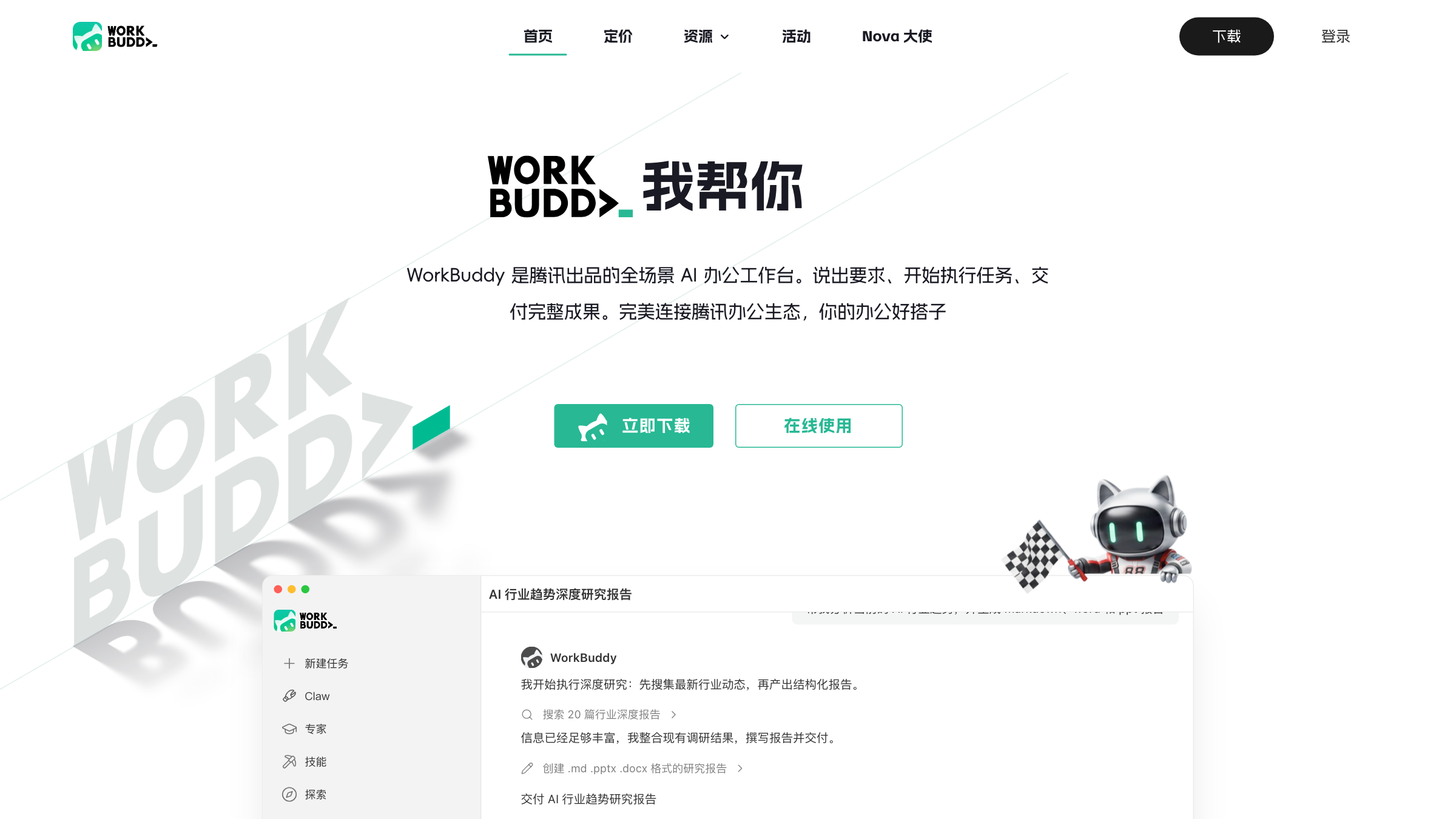
The core message on the official homepage is not “chat with you,” but rather that after stating a requirement it begins executing the task and delivers complete results.
Official demo content directly showcases scenarios such as in-depth AI industry trend research reports, suitable for material compilation and structured output.
Public page copy mentions the ability to generate content in formats such as .md, .pptx, and .docx, indicating it targets real office document delivery.
Product settings support adding custom models where users can enter Endpoint, API Key, and Model Name to connect to OpenAI-compatible services.
Break a topic into steps such as retrieval, summarization, and drafting, ultimately outputting more complete research results or structured reports.
Best for:Researchers · Operations strategy teams
Perform document summarization, rewriting, supplementation, and formatting to produce content closer to directly deliverable output rather than remaining at chat-style answers.
Best for:Knowledge workers · Content collaborators
Hand requirements to the Agent to generate presentation materials, explanatory documents, or other office content, reducing manual organization time.
Best for:Project managers · Business and internal reporting users
Suitable for placing data analysis and result presentation in the same workflow, ultimately delivering charts, explanations, or conclusion-type documents.
Best for:Analysts · Business teams
Base URL
https://apimaster.ai/v1API key environment variable
API Key(WorkBuddy 自定义模型设置项)Model
gpt-5.6-sol or claude-sonnet-4-6 or Your APIMaster model IDDiscussion summary
Community discussions focus less on whether it is a chatbot and more on whether it can actually complete office tasks. Recurring topics include automatic generation of documents, PPTs, tables, and reports as deliverables, and how it compares with domestic AI office products such as Doubao and Qwen. Another frequently mentioned point is model openness and tool connectivity, such as support for switching different models, connecting external APIs, and better integration with Tencent’s office ecosystem.
This is the most consistent theme. Many discussions emphasize that WorkBuddy’s value lies not in “chatting with you” but in “taking a goal, breaking it into tasks, and finally delivering results.”
The community often compares WorkBuddy with Doubao, Qwen, etc., focusing on office completion rate, delivered results, model selection, and ecosystem capabilities rather than pure chat performance.
Another recurring topic is model switching, custom models, and connectivity with documents, knowledge bases, and workflow tools. These discussions are also directly related to third-party Key configuration scenarios.
Some discussions place it in the context of Tencent’s office ecosystem and enterprise collaboration, focusing on whether it can become a more execution- and delivery-oriented Agent workbench.
WorkBuddy is an office-oriented AI Agent from Tencent that focuses on decomposing complex office tasks, executing them, and delivering complete results such as research, documents, and presentation materials.
It is better suited for result-oriented work such as research compilation, document processing, presentation material preparation, and data analysis rather than single-round chat Q&A.
Yes. WorkBuddy currently supports entering third-party Endpoint, API Key, and Model Name in the custom model configuration.
Also suitable for comparison in personal productivity and task automation contexts, but WorkBuddy places greater emphasis on office result delivery and multi-Agent collaboration.
Also in the productivity direction; can be compared horizontally on differences in task planning, execution methods, and result presentation.
Suitable for comparing positioning differences among personal Agents in task entry points, automation depth, and workflow control.
Sources:Official websiteOfficial docs
Last verified: 2026-09-02 · Report a correction