
Implement a Function from a docstring
In a Python file, generate the function body code when the function signature and docstring already exist
Кому підходить:Python developers
Програмування / Розробка
Codex is a code generation model released by OpenAI, with the core selling point of turning natural language descriptions directly into runnable code.
Сайт створено
2007-01-19
Рейтинг використання токенів OpenRouter
#11
Джерела: OpenRouter
Унікальні відвідувачі на місяць
84.64M
Джерела: SimilarWeb
Coding Plan
Знижки на моделі Coding Pro
Codex is positioned as a code assistance tool for developers, used via API calls or integrated into editors. After users enter instructions in English or Chinese, it returns code snippets or complete functions in the corresponding programming language. It supports more than a dozen languages including Python, JavaScript, and Go, and is mainly used for code completion and simple task conversion. Unlike general-purpose language models, it is specifically trained on code datasets, so its output is closer to real-world coding style and is suitable for developers with existing programming experience who want to handle repetitive coding work quickly.
Коротко
Codex is a code generation model released by OpenAI, with the core selling point of turning natural language descriptions directly into runnable code.
Для чого використовується
Users use it to generate function implementations, turn natural language requirements into code, or rewrite code from one language into another.
Кому підходить
Developers, engineering teams, and technical leads
Як це працює
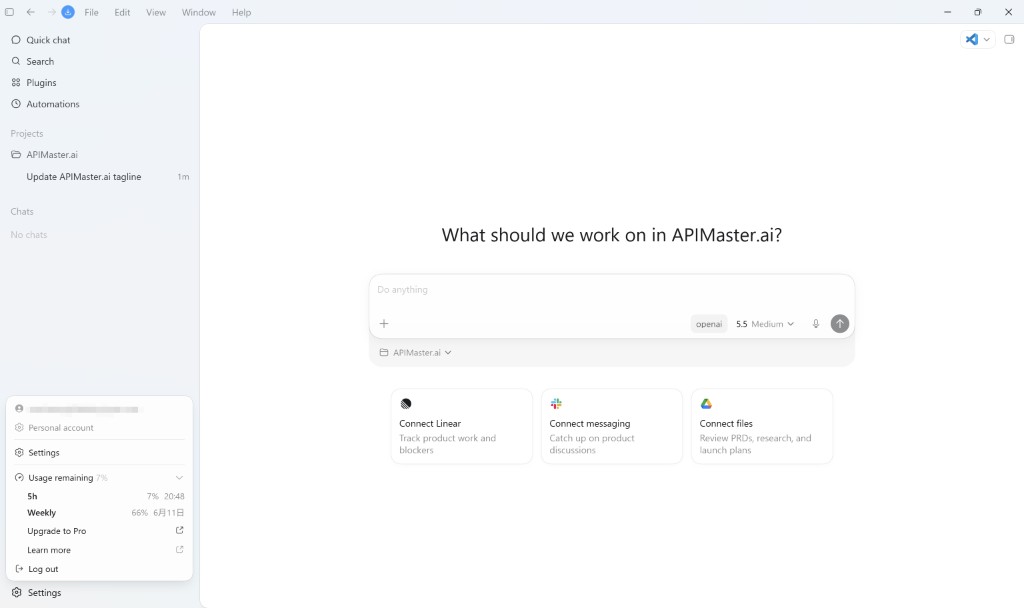
It typically runs in a project environment, IDE, or terminal, completing development tasks by reading context, executing commands, and modifying files.
Тип продукту
Coding Agent
Ціни
Невідомо
The current enhanced batch dataset does not maintain real-time pricing for this product. Please refer to the official website or official documentation.
Інтеграція з APIMaster
Підтримується
Codex config files: ~/.codex/config.toml and ~/.codex/auth.json
Надійність даних
Низька
Остання перевірка: 2026-09-02
Enter an English description or comment, and output a function or script in the corresponding programming language
In the code editor, suggest the next line or a complete function body in real time based on the existing context
Input a code snippet and output a natural language explanation of its execution logic and purpose
Convert code from one programming language into an equivalent implementation in another language
Automatically generate unit tests or assertions based on function code
Automatically add docstrings or comments to existing functions or classes
In a Python file, generate the function body code when the function signature and docstring already exist
Кому підходить:Python developers
Input a JS file and output a TS version with type annotations
Кому підходить:Frontend engineers
Describe data requirements in natural language and output the corresponding SQL statement
Кому підходить:Data analysts
Paste a code snippet with an error to get an explanation of the cause and a corrected version
Кому підходить:Software engineers
Base URL
https://apimaster.ai/v1Змінна середовища API-ключа
OPENAI_API_KEY(auth.json 中保存)Модель
gpt-5.4 або gpt-5.5 або Ваш Model ID APIMasterПідсумок обговорень
Users generally understand Codex as an agent-style AI coding assistant launched by OpenAI, mainly used for software development, task automation, and knowledge work. Community discussions focus on the consumption and management of usage quotas, the agent's persistence and multitasking capabilities, the desktop app's interface and workflow experience, and integration with external tools and future product direction.
Users often discuss how limits can be exhausted quickly, how reset mechanisms work, and real-world availability under different subscription plans.
Users explore how to keep Codex running long term, handle multithreaded sub-agents, and continuously track tasks and dependencies in workflows.
Users share everyday pain points such as desktop UI interruptions, Markdown preview limitations, update prompts, and connection stability.
Users discuss the potential of Codex connectors for GitHub, Slack, browser automation, and ways to continue sessions across devices.
Users pay attention to the possibility of a Linux desktop app, model routing, connector expansion, and Codex evolving toward a full "colleague" role.
We currently classify it under the "Programming / Developer" category, and the page description is based on public materials such as the official website and OpenRouter.
The enhanced Codex page prioritizes displaying the core tasks and use cases that have already been collected, helping you quickly judge whether it matches your current needs.
The current information has already confirmed that the product supports third-party Keys or custom compatible endpoints, so you can continue validating it directly according to the page configuration instructions.
Also in the Programming / Developer category, suitable for side-by-side comparison of different task entry points and product formats.
Also in the Programming / Developer category, suitable for side-by-side comparison of different task entry points and product formats.
Also in the Programming / Developer category, suitable for side-by-side comparison of different task entry points and product formats.
Джерела:Офіційний вебсайт
Остання перевірка: 2026-09-02 · Повідомити про виправлення