APIMaster.ai

AI Infrastructure / API

Portkey AI logo

Portkey AI

Portkey AI is an AI gateway platform for unified management of multiple LLMs, with access control and reliability mechanisms needed for production environments.

Product type: Model gateway / routing toolPricing: UnknownAPIMaster integration: Supported

Website created

2022-12-09

OpenRouter token usage rank

#9

Source: OpenRouter

Monthly unique visitors

106,429

Source: SimilarWeb

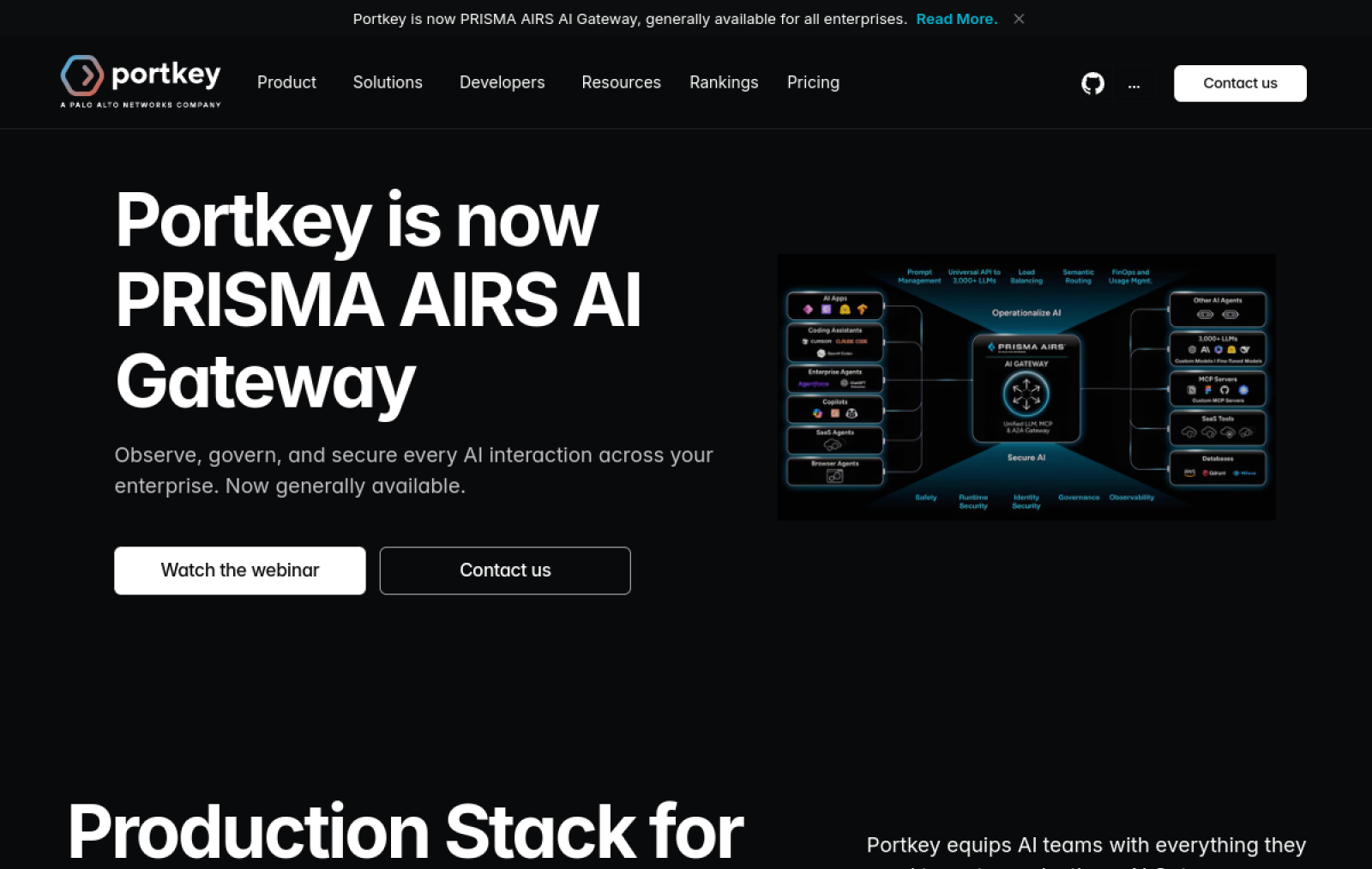
Portkey AI homepage preview

Overview

Portkey AI is positioned as the control plane for enterprise AI applications, primarily connecting to LLM call flows through a gateway. By replacing the original API endpoint in code, users can route requests through Portkey to enable multi-model switching, request routing, and logging. Its core capabilities include centralized access control, observability data collection, and governance rule enforcement, serving teams that need to deploy AI agents or applications at scale. Unlike calling model APIs directly, it emphasizes inserting an intermediate layer into production traffic to handle security and operations requirements.

One-line summary

Portkey AI is an AI gateway platform for unified management of multiple LLMs, with access control and reliability mechanisms needed for production environments.

What people use it for

Users put Portkey's gateway address into application code to replace the original model API endpoint; enterprise teams use it to centrally review daily request logs flowing through the system and set rules to restrict the usage scope of specific models.

Best for

AI application teams, platform engineers, and infrastructure owners

How it works

Users typically enter the product from the IDE, browser, or API, then use its built-in capabilities around specific tasks to complete their work.

Quick facts

Product type

Model gateway / routing tool

Pricing

Unknown

The current enhanced batch dataset does not maintain live pricing for this product. Please refer to the official website or official documentation.

APIMaster integration

Supported

Provider / Proxy / API Settings

Data confidence

Medium

Last verified: 2026-08-30

Core features and differentiators

Unified API access to 200+ LLM models

Call models from providers such as OpenAI, Anthropic, and Cohere through a single endpoint, switching vendors without modifying code.

Automatic fallback and retries

Automatically switch to a backup model or retry when the primary model call fails, with support for configuring fallback chains by priority.

Built-in 50+ Guardrails

Perform content filtering, PII detection, and toxicity checks directly at the gateway layer for both input and output, with no extra integration required.

Semantic caching and cost tracking

Return cached results for repeated queries while recording token usage, latency, and cost for each call.

Conditional routing and load balancing

Dynamically choose models based on conditions such as model name, user ID, and prompt length, with support for parallel load balancing across multiple models.

Centralized governance with MCP Gateway

Provide unified authentication, permission control, and observability for MCP Server, supporting enterprise-grade AI Agent access management.

What is Portkey AI best for?

Multi-model switching in production environments

Configure routing rules in the application so that when the primary model fails, it automatically falls back to a backup model and keeps the service running without interruption.

Best forAI application developers

Permission control for enterprise AI Agents

Use MCP Gateway to centrally manage access permissions and audit logs for internal Agents accessing MCP Server.

Best forEnterprise security and compliance teams

LLM call cost monitoring

After deployment, view daily token consumption, break down costs by model, and set budget alerts.

Best forProduct and operations owners

Input and output content safety filtering

Automatically run Guardrails before requests enter the model and after results are returned to block sensitive or non-compliant content.

Best forAI product security engineers

Third-party key setup for Portkey AI (APIMaster integration)

Supported

Setup steps

  1. 1First, look inside the product for Provider, Proxy, API Settings, Model Provider, Add provider, or a similar entry point.
  2. 2Check whether it allows you to enter a third-party API Key, Base URL, Proxy URL, or custom endpoint.
  3. 3If these fields exist, then enter APIMaster as a compatible third-party endpoint in the corresponding location.
  4. 4Finally, choose the model name or mapping method supported by the product, and verify the connection with a minimal test request.

Config values

Base URL

https://apimaster.ai/v1

API key environment variable

APIMASTER_API_KEY

Model

Your APIMaster model ID

Community discussion

Discussion summary

Users generally understand Portkey AI as an enterprise-grade AI infrastructure gateway, mainly used to manage multi-LLM calls and improve production reliability. Discussion focuses on how its capabilities can be used to achieve stable deployment, compliance governance, and cost control for AI applications. Users often share integration experience, comparisons with other gateway tools, and implementation challenges in real business scenarios.

Most discussed topics

  1. 1

    How can guardrails, fallbacks, and semantic caching be configured in production to improve the reliability of LLM applications?

    Users discuss how Portkey helps manage 200+ LLMs, providing load balancing and caching mechanisms to avoid single points of failure.

  2. 2

    What are Portkey's advantages in data residency and enterprise compliance?

    Users focus on its suitability as a control plane for data security and governance, often comparing it with tools such as LiteLLM and OpenRouter.

  3. 3

    How can token-level cost tracking and agent run attribution be implemented through Portkey?

    Users explore its monitoring capabilities at the model request layer, as well as its role in AI budget control and runaway loop prevention.

  4. 4

    After integrating Portkey with security tools such as Palo Alto, how can it be used for enterprise AI deployment?

    Users share application scenarios and extension cases for it as an AI Gateway within security infrastructure.

FAQ

What type of product is Portkey AI?

We currently classify it under "AI Infrastructure / API", and the page description is based on the official website and public materials such as OpenRouter.

What is Portkey AI suitable for?

The enhanced page for Portkey AI prioritizes displaying the core tasks and use cases that have already been collected, helping you quickly judge whether it matches your current needs.

Can Portkey AI connect directly to APIMaster now?

Current materials already confirm that the product supports third-party keys or custom compatible endpoints, so you can proceed directly according to the page configuration instructions to verify it.

Similar agents

SourcesOfficial website

Last verified: 2026-08-30 · Report a correction