
Remote Pair Programming
Share a Zed project link with teammates, view each other's cursors in real time, and edit code together
Кому підходить:Distributed development teams
Програмування / Розробка
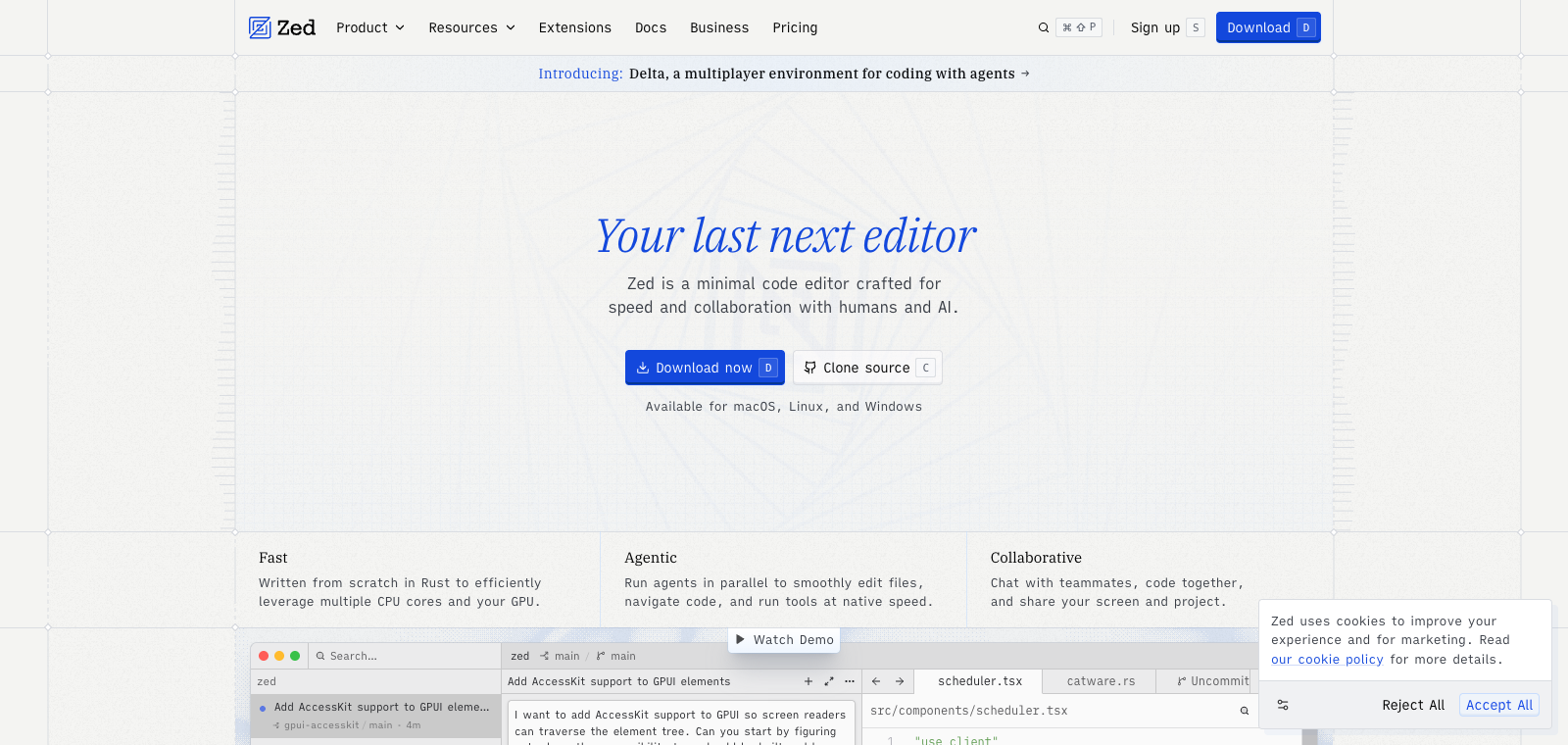
Zed Editor is an open-source code editor written in Rust, with its core selling points being extremely fast startup and editing speed, plus built-in real-time collaboration and AI tools.
Сайт створено
2020-09-03
Рейтинг використання токенів OpenRouter
#23
Джерела: OpenRouter
Унікальні відвідувачі на місяць
646,993
Джерела: SimilarWeb
Coding Plan
Знижки на моделі Coding Pro
Zed Editor is positioned as a desktop code editor, mainly supporting day-to-day coding work through direct use of LSP servers and built-in panels. Users use it to open projects, write code, check Git status, and run the debugger. Its distinguishing feature is that it delivers full functionality without requiring a large number of plugins, while also supporting Vim keybindings and real-time multi-user editing. It is suitable for developers switching from VS Code, seeking a lightweight startup experience, or needing simple AI integration. Compared with similar products, its biggest difference is the smooth performance and collaboration experience brought by its native Rust implementation.
Коротко
Zed Editor is an open-source code editor written in Rust, with its core selling points being extremely fast startup and editing speed, plus built-in real-time collaboration and AI tools.
Для чого використовується
In practice, users use it to open code repositories for editing, switch files, and use built-in Git tools. They also run the debugger or invoke AI features to help modify code.
Кому підходить
Developers, engineering teams, and technical leads
Як це працює
It typically starts by reading context in the IDE, terminal, or project environment, then the Agent plans steps, executes commands, or modifies files, and the user reviews the results.
Тип продукту
Extension / Plugin
Ціни
Невідомо
The current enhanced bulk dataset does not maintain real-time pricing for this product. Please refer to the official website or official documentation.
Інтеграція з APIMaster
Підтримується
Zed → Settings → AI → LLM Providers (or run agent: open settings)
Надійність даних
Середня
Остання перевірка: 2026-09-02
Supports inviting others via link to edit the same file together in real time, with visible cursors and changes
Uses Metal/Vulkan to directly render the editor UI and syntax highlighting
Opens an interactive terminal at the bottom of the editor, supporting command execution and output viewing
Provides model-based inline code suggestions and multi-line generation while editing
Performs incremental syntax tree parsing for supported languages, enabling precise highlighting and folding
Connects to remote servers over SSH and edits remote files in the local interface
Share a Zed project link with teammates, view each other's cursors in real time, and edit code together
Кому підходить:Distributed development teams
Open a Rust repository with hundreds of thousands of lines of code for fast navigation, completion, and builds
Кому підходить:Rust engineers
Select a function, use Zed AI to generate refactoring suggestions, and apply them directly to the file
Кому підходить:Full-stack developers
Execute cargo test or npm test in Zed's built-in terminal and view real-time output
Кому підходить:Backend/frontend developers
Base URL
https://apimaster.ai/v1Змінна середовища API-ключа
<PROVIDER_ID>_API_KEY / OPENAI_API_KEYМодель
Ваш Model ID APIMasterПідсумок обговорень
Users commonly understand Zed Editor as a high-performance code editor built with Rust, emphasizing its speed, native collaboration, and built-in AI features, and it is often compared with tools like VS Code and Cursor. Discussion focuses on performance advantages, the AI integration experience, the challenges of migrating from other editors, and shortcomings in the extension ecosystem. Community topics often revolve around how to fully leverage its lightweight and collaborative characteristics while exploring combinations with local or cloud AI models.
Users frequently discuss Zed's advantages in rendering speed, startup time, and resource usage, and whether it is worth switching from Electron-based tools.
Users share how to configure built-in AI chat, edit prediction, and model access, including experiences using local models or a Pro subscription.
Discussion covers the practical effectiveness of native collaboration, shared terminals, and pair programming, as well as integration with existing workflows.
Users explore the limitations of extension support and how to achieve functionality similar to other editors through configuration or plugins.
Users share their experiences with Vim mode compatibility, configuration migration, and adapting habits, as well as whether it can fully replace their previous tools.
We currently place it in the "Programming / Developer" category, and the page description is based on public materials such as the official website and OpenRouter.
The enhanced page for Zed Editor prioritizes the core tasks and use cases that have already been collected, helping you quickly judge whether it matches your current needs.
Current information already confirms that the product supports third-party Keys or custom compatible endpoints, so you can proceed directly according to the page configuration instructions to verify it.
It is also in the Programming / Developer category and can be used to compare different task entry points and product formats side by side.
It is also in the Programming / Developer category and can be used to compare different task entry points and product formats side by side.
It is also in the Programming / Developer category and can be used to compare different task entry points and product formats side by side.
Джерела:Офіційний вебсайтGitHub
Остання перевірка: 2026-09-02 · Повідомити про виправлення