
Daily Operations Brief Generation
Aggregates email, Slack, calendar, and news on a schedule, outputs a single summary, and creates to-do items
Кому підходить:Founders / Product Managers
Персональний Agent / Продуктивність
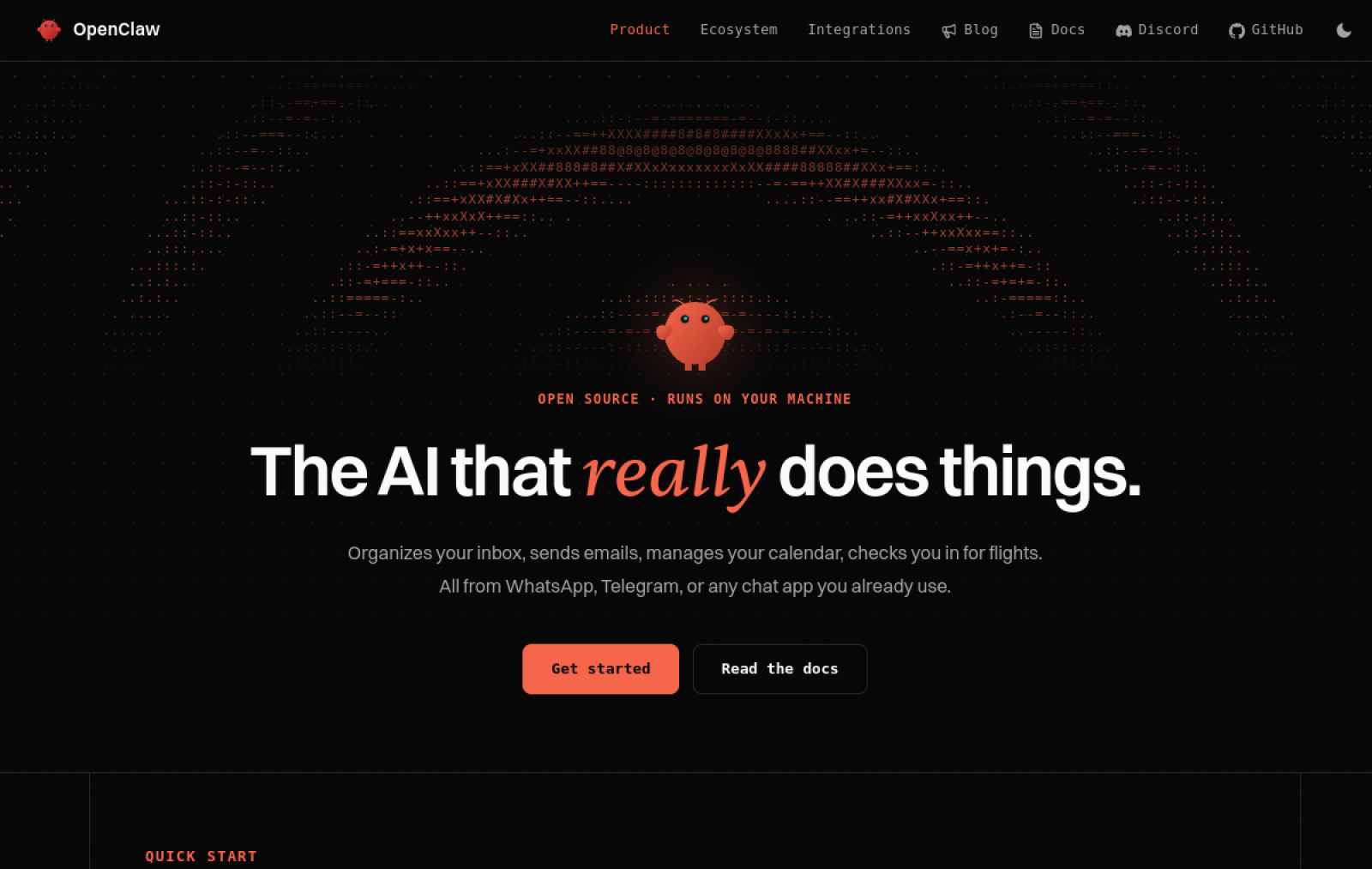
OpenClaw is an open-source personal AI agent that runs on the user's local machine, allowing users to set up and manage tasks on their own device.
Сайт створено
2026-01-29
Рейтинг використання токенів OpenRouter
#10
Джерела: OpenRouter
Унікальні відвідувачі на місяць
1.704M
Джерела: SimilarWeb
Coding Plan
Знижки на моделі Coding Pro
OpenClaw is positioned as a locally running personal agent tool. Users install it on their personal computer and connect models, tools, and apps through a local gateway. Users primarily configure the agent step by step through conversation, starting from a single workflow and expanding to more scenarios. The core idea is that data and memory remain entirely on the local device, without relying on external servers. It is suitable for individuals or developers who need control over where their data flows and who handle sensitive information. Its main difference from cloud-based agent products is that users fully own and can modify the agent's runtime environment.
Коротко
OpenClaw is an open-source personal AI agent that runs on the user's local machine, allowing users to set up and manage tasks on their own device.
Для чого використовується
Users use it to manage Linear roadmaps, prioritize support inboxes, schedule calendar events, maintain to-dos and knowledge bases, and check notifications and direct messages to reduce manual work.
Кому підходить
Personal productivity users, operations teams, and automation builders
Як це працює
Users typically start from the command line, desktop app, or browser, then complete work through multi-step task planning and tool calls.
Тип продукту
Model Gateway / Routing Tool
Ціни
Невідомо
The current enhanced batch dataset does not maintain real-time pricing for this product. Please refer to the official website or official documentation.
Інтеграція з APIMaster
Підтримується
openclaw onboard → Custom Provider, or ~/.openclaw/.../models.json
Надійність даних
Середня
Остання перевірка: 2026-09-02
Runs on the user's own machine, supports local models or connecting to external APIs, and stores all memory files and conversation history locally
Directly connects to tools such as email, Slack, Linear, calendars, and X to perform cross-platform actions like creating tasks and sending messages
Runs tasks on a schedule through cron or background agents, such as generating daily briefs, checking notifications, and processing to-dos
Automatically filters spam, flags important threads, drafts replies, and clears out the inbox
Extracts information from images or PDFs to schedule events, pulls meeting records, and generates action item summaries
All skills and configurations are stored as Markdown files, which users can edit, back up, or migrate directly
Aggregates email, Slack, calendar, and news on a schedule, outputs a single summary, and creates to-do items
Кому підходить:Founders / Product Managers
Automatically creates cards and prioritizes them based on issues the user drops in
Кому підходить:Developers / Project Owners
Filters customer conversations, flags urgent items, and drafts replies
Кому підходить:Customer Support / Operations Staff
Pulls transcripts, summarizes decisions, and extracts action items to sync into the task system
Кому підходить:Team Managers
Base URL
https://apimaster.ai/v1Змінна середовища API-ключа
API key(onboard / models.json)Модель
gpt-5.5 або claude-sonnet-4-6 або Ваш Model ID APIMasterПідсумок обговорень
Users typically understand OpenClaw as a persistent personal AI agent that runs on their own machine and can achieve autonomous task execution and memory management through shared files such as BRAIN.md, rather than as a one-off chatbot. Discussion mainly focuses on how to make the agent truly "wake up" and keep working, how it integrates with existing tools, and how to overcome configuration complexity and reliability issues. Users often share practical workflow setup experience while also complaining that a large amount of manual intervention is needed to keep the agent running reliably.
Users repeatedly discuss how to design task lists, blocking points, and scheduled wake-up mechanisms so the agent can proactively handle work after the machine wakes from sleep instead of relying on repeated human reminders.
Users share how to let the agent automatically manage email priority, scheduling, roadmap cards, and to-do items, and discuss the real productivity gains after integration.
Users often explore methods such as defining completion criteria, delegation frameworks, workspace hygiene, and capability logs to reduce the need for constant micromanagement.
Users compare performance across different models, discuss token efficiency, privacy, and structured requirements, and look for configuration options that balance reliability and cost.
Users share experience on avoiding the creation of too many sub-agents, and on how to use a knowledge-base repository to enable team or personal multi-agent collaboration without duplicating work.
We currently classify it under "Personal Agent / Productivity," and the page description is based on the official website and public sources such as OpenRouter.
The enhanced OpenClaw page prioritizes showing the core tasks and use cases that have already been collected, helping you quickly judge whether it matches your current needs.
The current information has confirmed that the product supports third-party keys or custom compatible endpoints, so you can proceed directly according to the configuration instructions on the page.
Also belongs to the Personal Agent / Productivity category and can be used to compare different task entry points and product formats side by side.
Also belongs to the Personal Agent / Productivity category and can be used to compare different task entry points and product formats side by side.
Also belongs to the Personal Agent / Productivity category and can be used to compare different task entry points and product formats side by side.
Джерела:Офіційний вебсайтGitHub
Остання перевірка: 2026-09-02 · Повідомити про виправлення